Web App & CLI Tool
Markdown To HTML Converter
A launched free browser and command-line utility that turns Markdown into clean, styled HTML with secure rendering, custom-domain polish, and table-of-contents support.
Tech stack (6)
Product
See It Live
Built To Work On The Screen Most People Reach For.
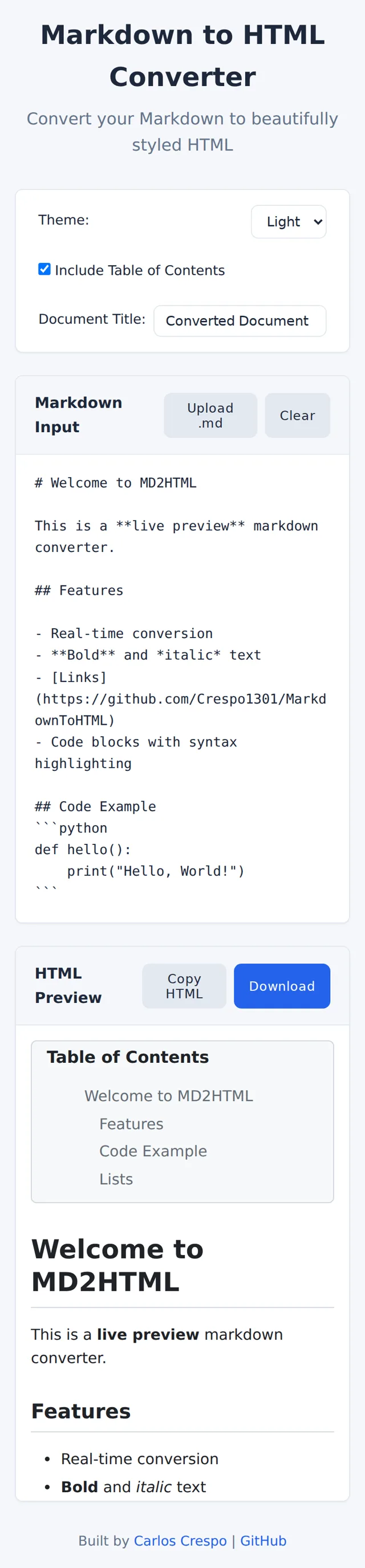
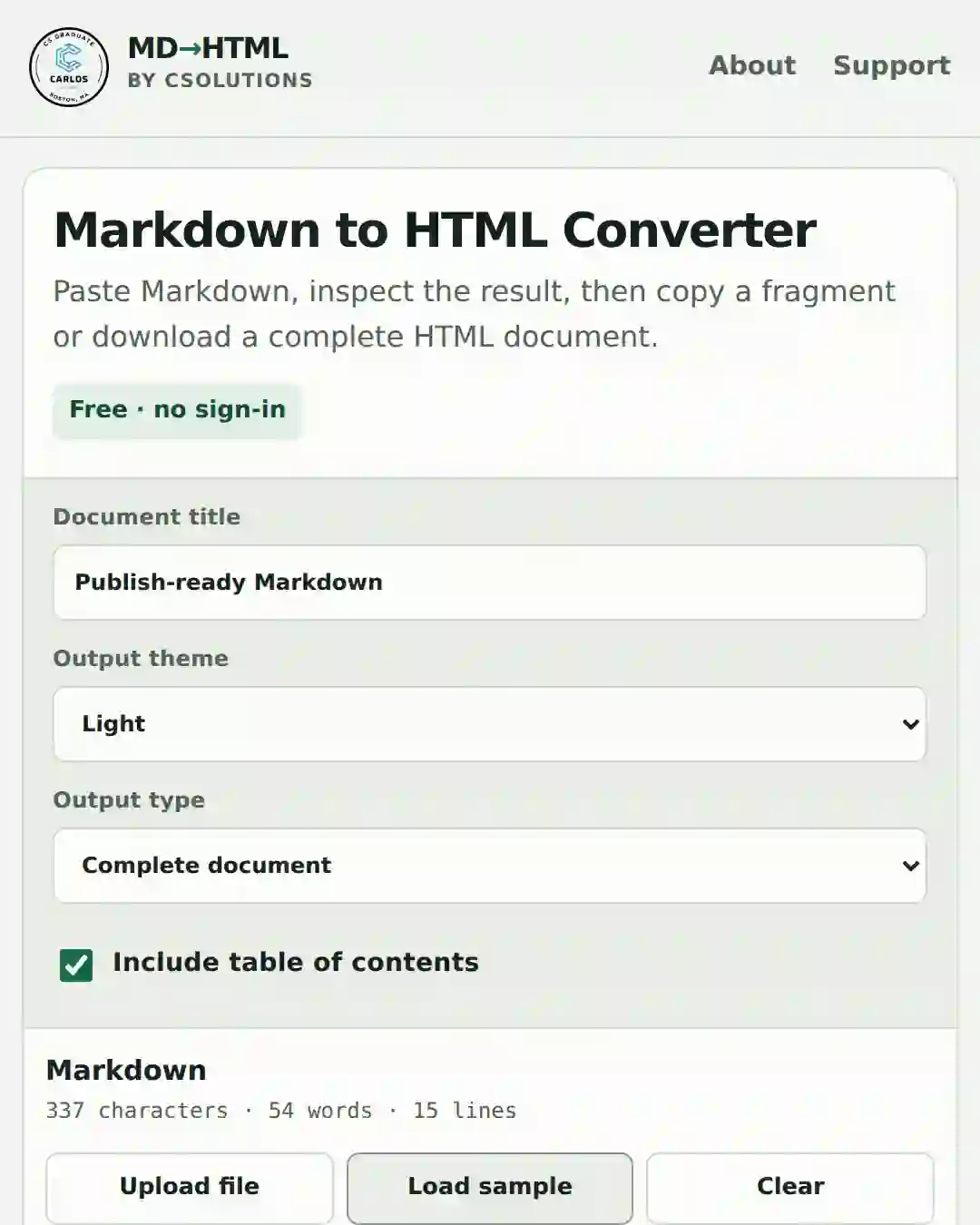
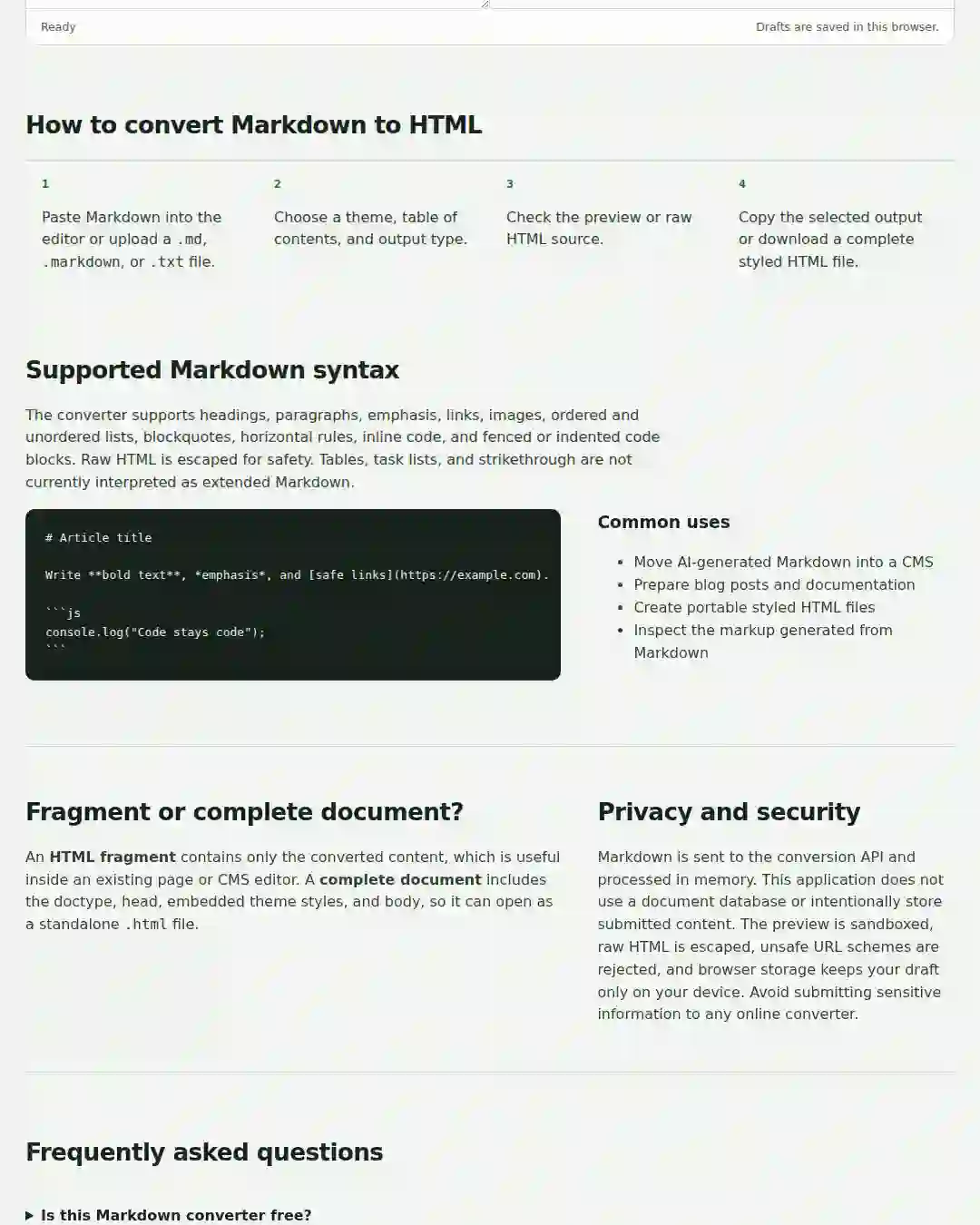
Most people try a free tool on their phone before they ever open it on a desktop. This is how the app actually looks and works there, screen by screen.
- Most people reach for a tool on their phone first, so the mobile experience is designed to carry that weight, not squeezed in after the desktop build.
- Every screen shown here, not a single cropped view, so you can see how the whole app holds together on a real screen.
- The exact live build, captured straight off the shipped app.
Real Screenshots
Markdown To HTML Converter, As It Actually Looks.
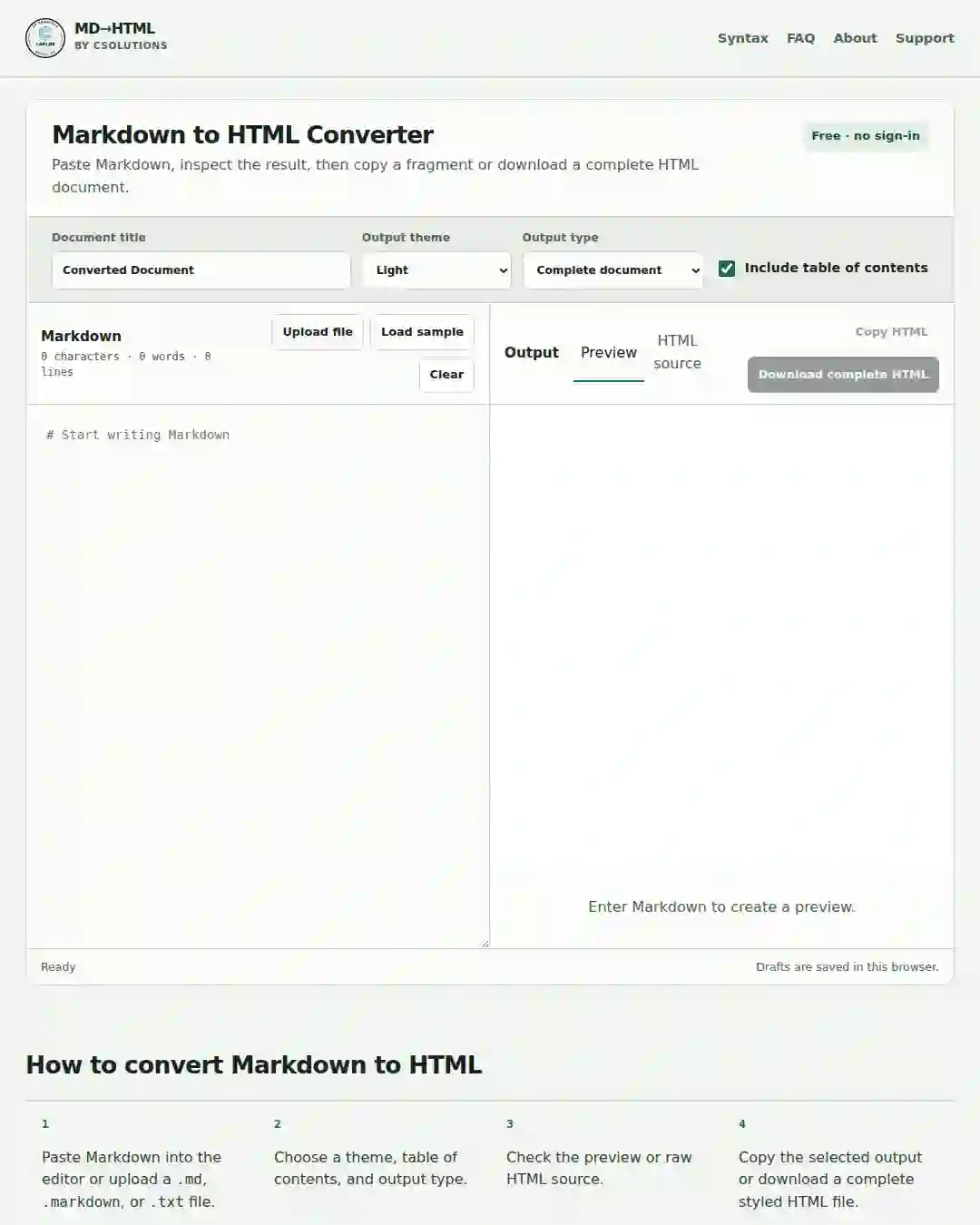
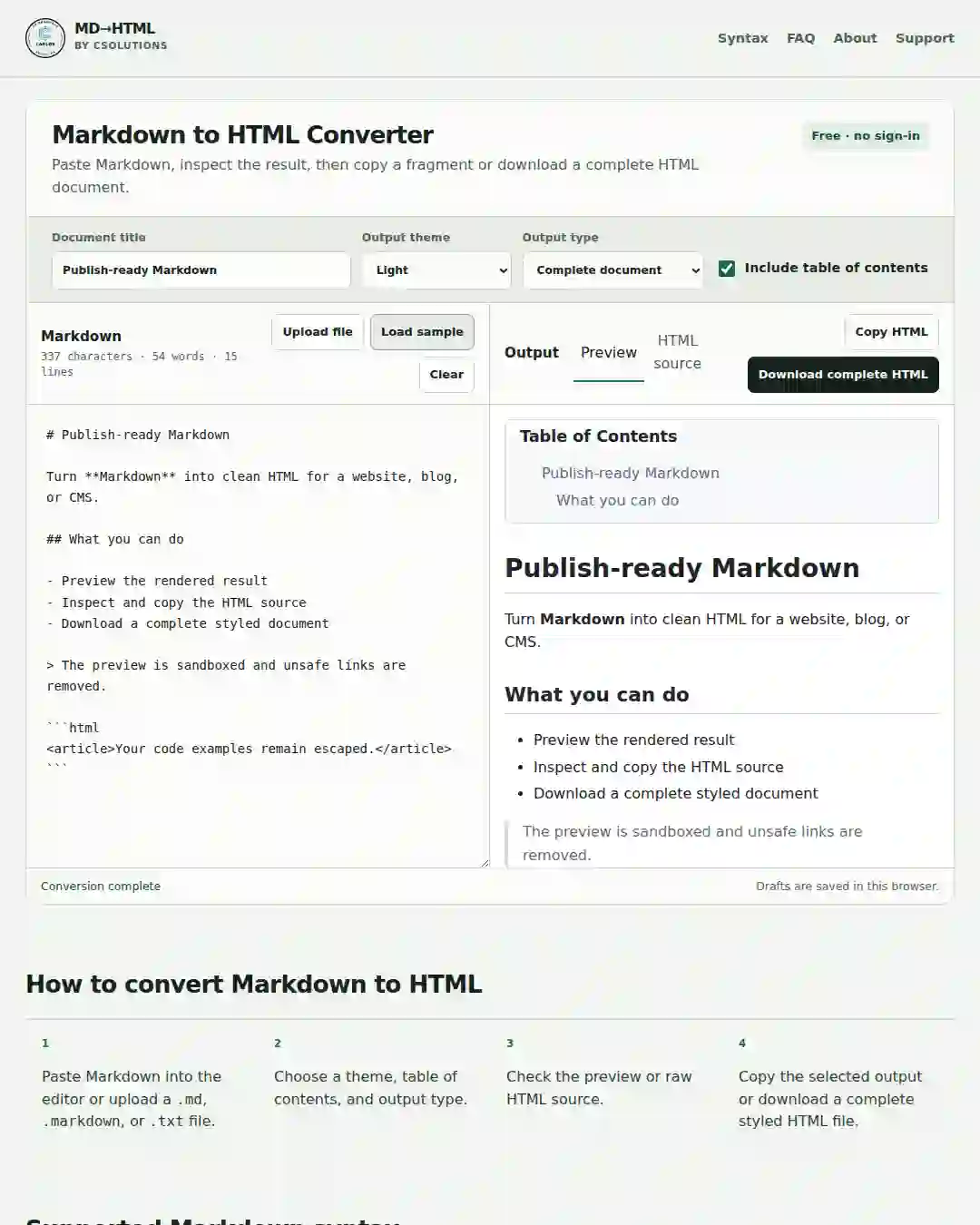
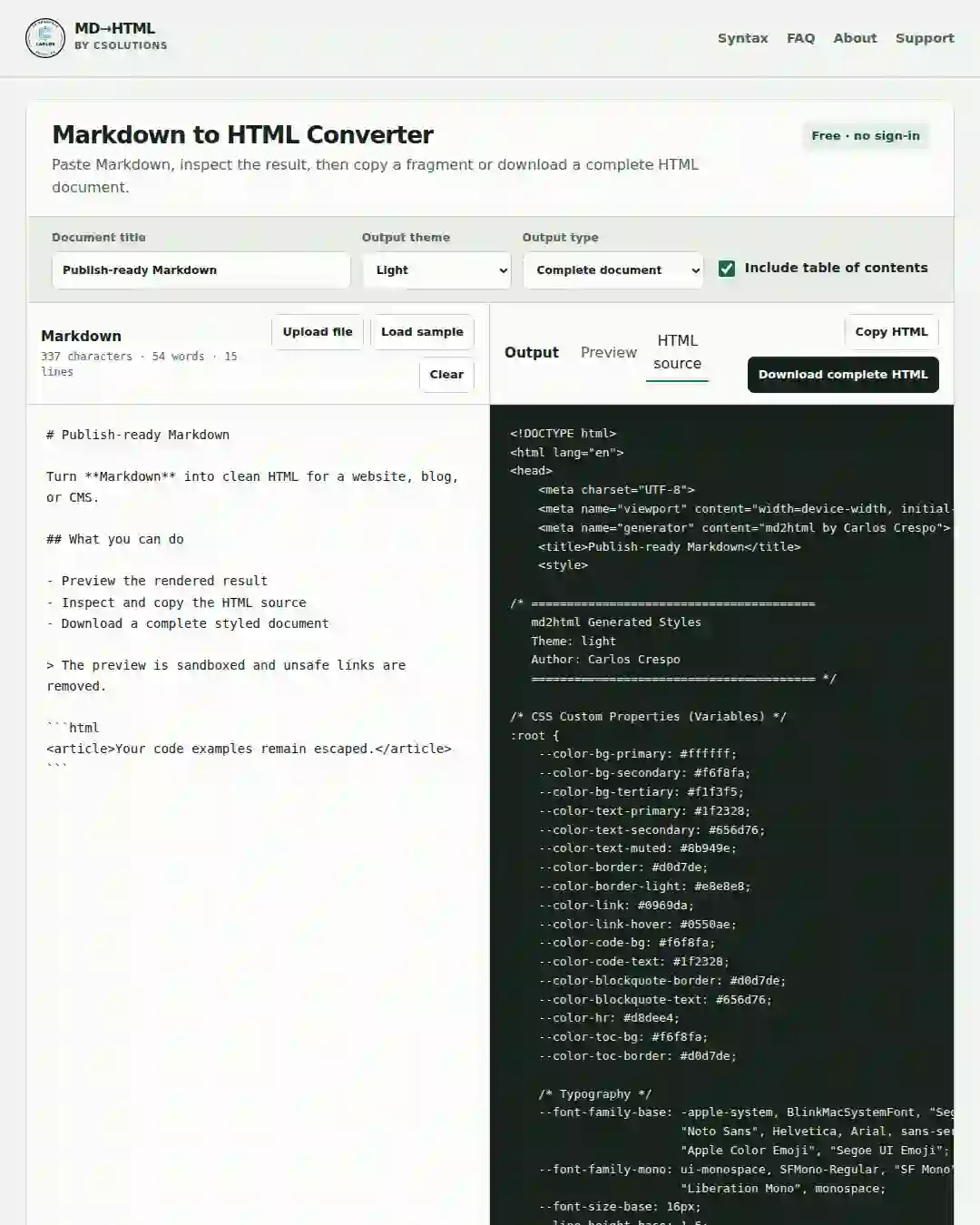
These are production captures from the live tool, not marketing mockups. They show the editor, preview, generated source, mobile workflow, and privacy notes a visitor can use right now.
Launch Proof
Launch Content Across CSolutions Channels
The launch was supported with short-form social posts that explain the tool in plain language and point people directly to the live converter.
Featured Launch Video
TikTok Launch Video
The TikTok launch post introduces the converter as a simple browser tool: paste Markdown, preview the result, inspect the source, copy the HTML, or download the finished file.
@crespo.csolutions on TikTok
Built a small tool under CSolutions for anyone who works with Markdown and just wants the HTML without making it a whole thing.
Opens the original post on tiktok.com.
Project Overview
How The Project Came Together.
Problem
Markdown To HTML Converter is a focused public utility built around a practical workflow need: converting raw Markdown into clean, presentable HTML without depending on a heavyweight editor.
Approach
The value of the project is in the delivery shape as much as the parser itself. It works as both a Python command-line tool and a responsive browser app at mdtohtmlconverter.com, with sanitized output, table-of-contents controls, and a fast converter-first interface.
Result
This project is a strong portfolio example because it pairs product thinking with engineering restraint. It solves a real problem, stays approachable, and demonstrates care around security, documentation, output quality, deployment, developer experience, SEO/AEO foundations, and launch distribution.
Challenges & Learnings
What It Took, And What Came Out Of It.
Challenge
Keeping the conversion workflow simple while still supporting presentation-friendly output.
Learning
Small utility products become stronger portfolio pieces when the delivery and documentation are thoughtful.
Challenge
Making the tool useful both in the terminal and in a browser-based interface.
Learning
A clear browser wrapper can make a backend-oriented tool much easier to demo and understand.
Challenge
Turning a narrowly scoped parser idea into a launched public product with a real domain and marketing surface.
Learning
Developer tools benefit from presentation quality, SEO structure, and launch materials just as much as client sites do.
More Work
Related Projects.

Finance
Finance Dashboard
A polished local-first finance dashboard for tracking balances, debt, budgets, and net worth with a strong analytics layer.
Business Operations
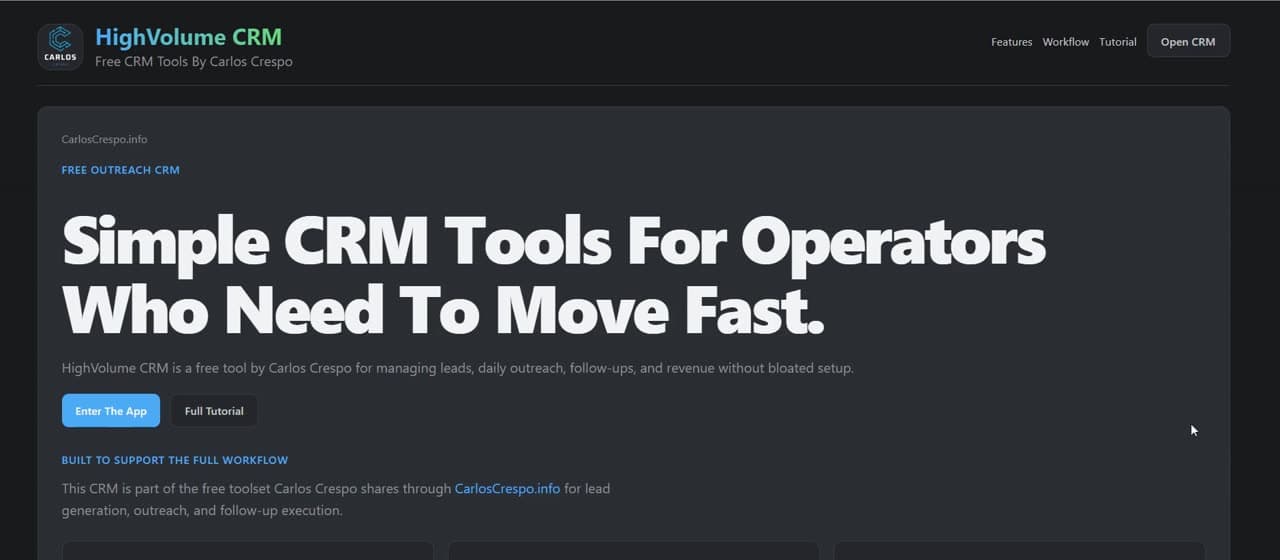
High Volume CRM
A keyboard-first lead-generation and outreach CRM built for fast prospecting, follow-up management, and lightweight website audit prep.
Content Operations
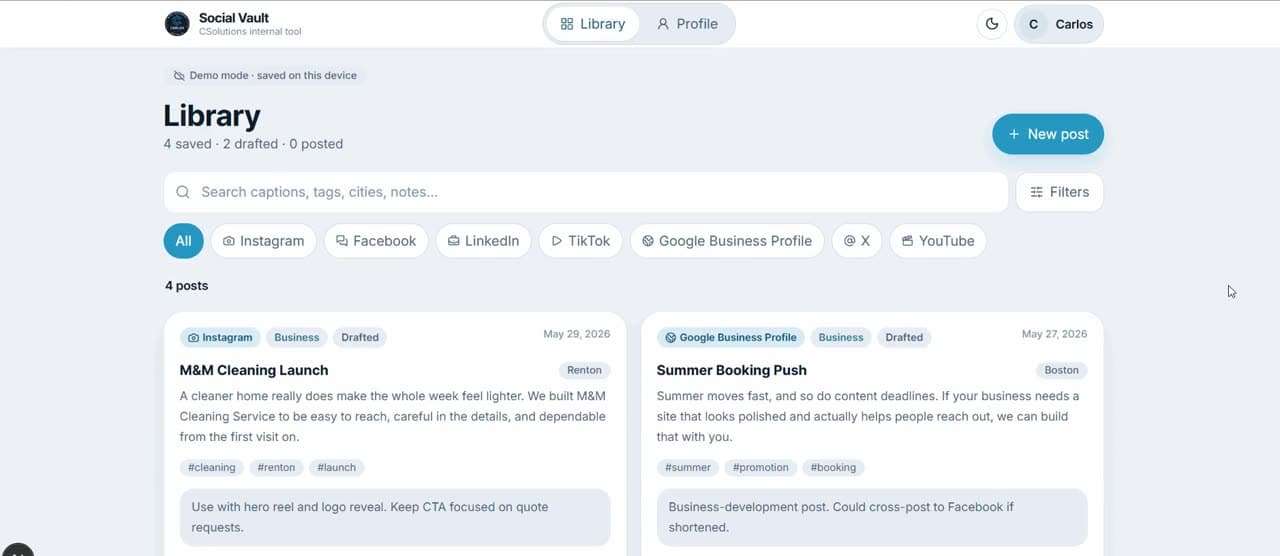
Social Vault
A private mobile-first content vault for storing, filtering, and reusing social captions across business and personal accounts.
Like What You See?
Let's Build Yours Next.
Tell me about your business and the kind of site you want. I'll send back scope, timing, and a clear quote.